Ask your AI what's in your meal.
Paste the answer.
Simple Macro Tracker is a small Android app that keeps your carbs, protein, fat and calories. Paste them from your AI, or type them in if you already know them. No account, no food database, and nothing leaves your phone.
Android · coming to Google PlayHow it works
You already have an AI that can look at a plate and estimate what's on it. This app doesn't try to be another one. Your AI does the estimating; the app does the remembering.
Tell your AI what you ate
Describe the meal or send a photo, in ChatGPT, Claude, Gemini or whichever assistant you already use. It answers the way it always does.
Paste the answer into the app
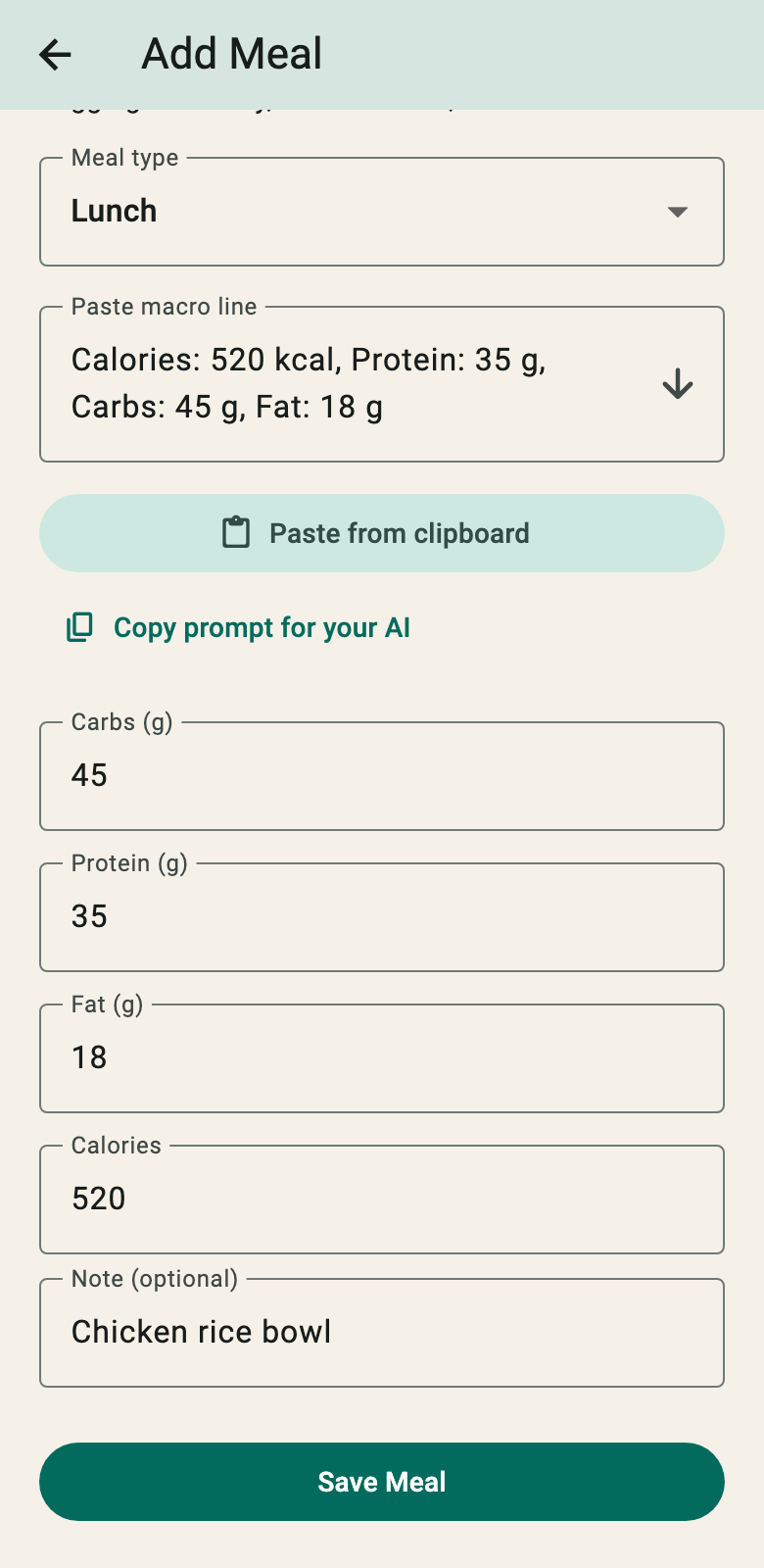
Copy the answer, then one tap on "Paste from clipboard". The app picks out the four numbers and fills them in. Add a note if you like, then save.
See the day and the week
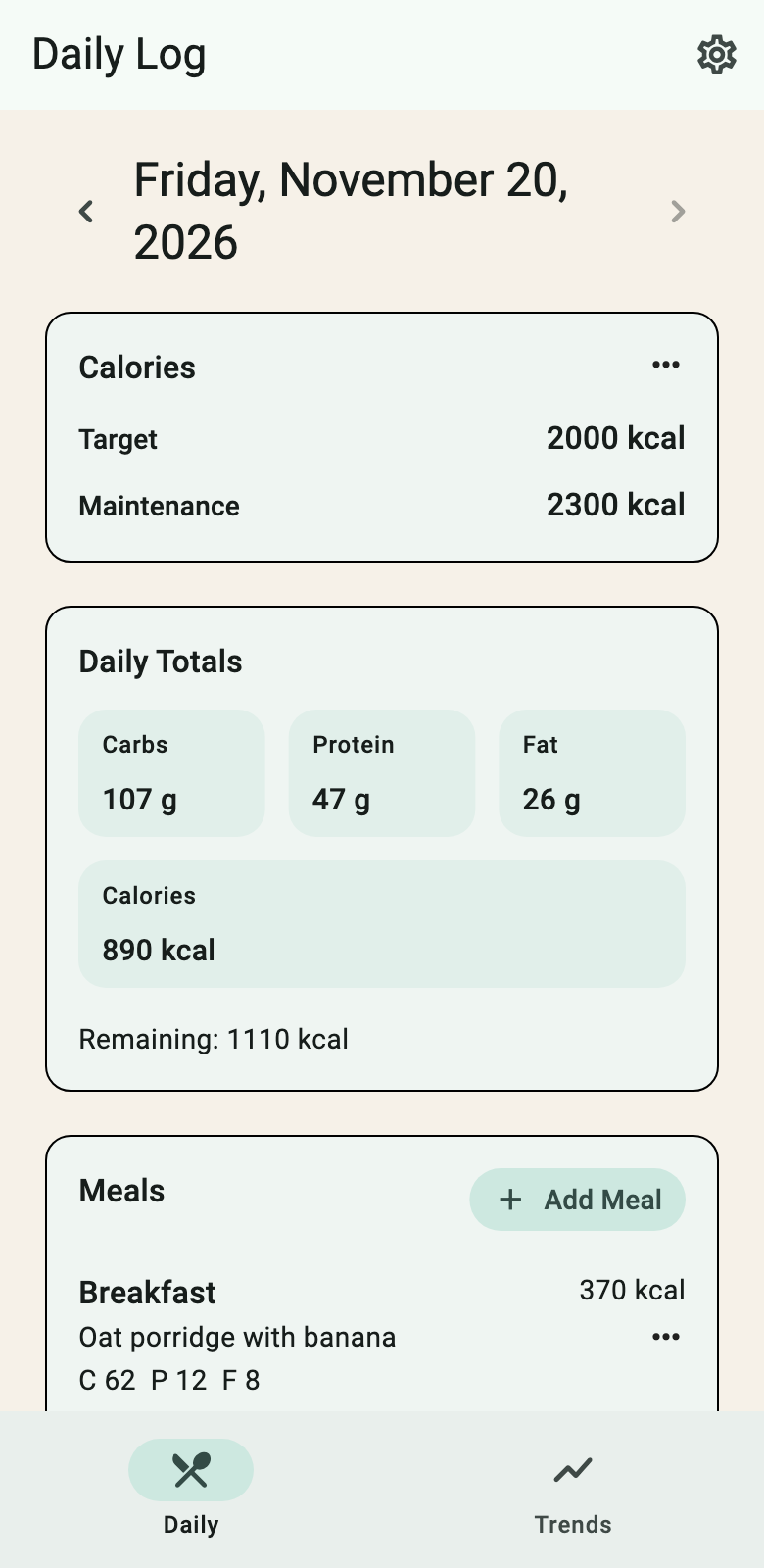
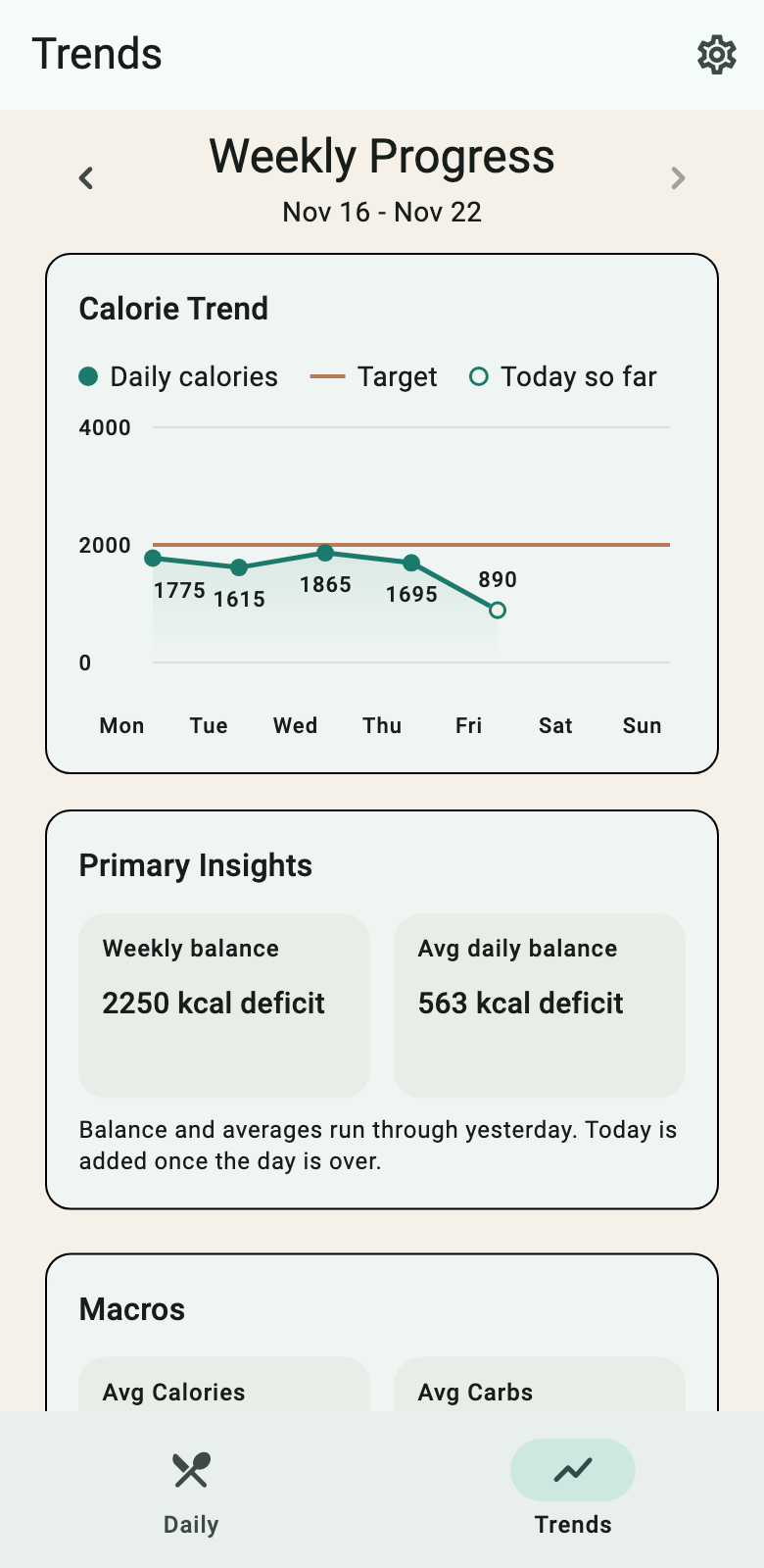
Daily totals against your calorie target, and a weekly view with your balance and averages. That's the whole app.
Already know your numbers?
You don't need an AI to use the app. If you weigh your food, read the label, cook the same meals every week or follow a plan from a coach, you already have the numbers. Then the app is simply a quick place to log them.
- Three numbers are enough. Type carbs, protein and fat, and the app works out the calories. If your label says something different, type it over.
- Or one line.
c 40 p 30 f 10fills in all the fields at once. - Same day, same week. Totals and trends work the same, however the numbers got in.
Want to try the one-line shorthand? Macro Sprint, further down, is a 60-second game for it.
It reads what your AI actually writes
There is no special format to learn or to teach your AI. All of these are read correctly:
- One lineCalories: 520 kcal, Protein: 35 g, Carbs: 45 g, Fat: 18 g
- A list- Calories: ~520 kcal - Protein: ~35g - Carbs: ~45g - Fat: ~18g
- A sentenceThis meal has approximately 520 calories, with 35g of protein, 45g of carbohydrates, and 18g of fat.
- GermanKalorien 520 kcal, Eiweiß 35 g, Kohlenhydrate 45 g, Fett 18 g
- Shorthandc 45 p 35 f 18 cal 520
What it won't do is guess. A range such as "30–35 g of protein", or a list of ingredients without one total for the meal, is not logged; the app tells you, and you type the four numbers yourself. A wrong number in your log is worse than a moment of typing.
Optional: a prompt for tidy answers
The app works without it. With this prompt, pasted once into your AI chat, every answer ends in one short line for the whole meal, so there is never a range or a per-ingredient list to sort out. The same prompt is in the app, one tap away.
For every meal I describe or photograph, estimate its macros. End your reply with one line for the whole meal in exactly this format, with single numbers and no ranges:

Calories: 520 kcal, Protein: 35 g, Carbs: 45 g, Fat: 18 g
What it leaves out, on purpose
Everything your AI already does better, and everything that gets between you and the log.
- food database
- barcode scanner
- account
- cloud
- streak guilt
- ads
Your meals stay on your phone. The app doesn't even ask Android for internet access, and you can export everything as JSON or CSV whenever you want it. The details are in the privacy policy.
The numbers are your AI's estimates or your own, and the app is a notebook for them. It is not medical or dietary advice.
Why Erkena
Over the last two years, the way I get things done has changed. Whatever the task, I start by asking an AI.
Most apps and services haven't caught up. They still expect me to search their database, fill in their forms and do the work inside them.
Erkena makes small tools for the way I work now: the AI does the thinking, and the tool does one job well and keeps out of the way. Simple Macro Tracker is the first.
Macro Sprint
Practice for the one-line shorthand: c 40 p 30 f 10 cal 370. A meal shows up with its numbers; type them back as one line. The game reads the line exactly the way the app does.
Macro Sprint
A meal shows up with its macros. Type them back as one line, hit Enter, get the next one. Same shorthand the app uses.
order doesn't matter · 40c works too
or just press Enter
press Enter to restart